


Windy.app - Enhanced forecast
4.85.89K Reviews
App Specs
- Version
- 96.0.0
- Updated On
- License
- Free
- Downloads
- 10,000,000+
- Developer
- Windy Weather World Inc
- Categories
- Weather
- Platform
- Android, iOS
Screenshots
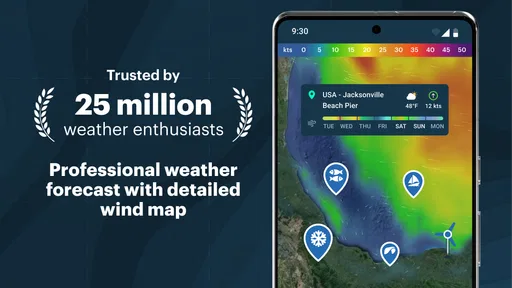
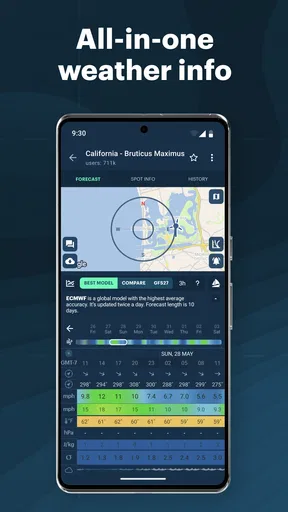
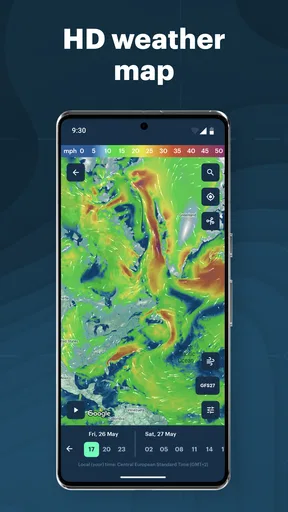
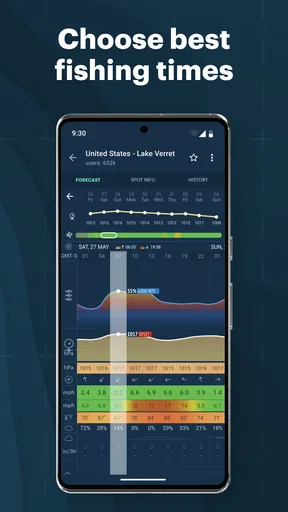
 Analysis by AppCompare
I’d approach Windy.app as a planning tool rather than just a screen to glance at before leaving home. Its weather maps and wind-focused information make more sense when you have a particular place and activity in mind: checking a coastal forecast before taking a board out, comparing conditions at two launch spots, or deciding whether a gusty afternoon is a good time to be outside. That extra detail is useful, but it also means the app can feel busier than a simple temperature-and-rain forecast.
What to expect when you open it
Windy.app is a free weather app from Windy Weather World Inc, with a 4.7 average from around 377,000 ratings and more than 10 million installs. It is rated for Everyone, and its focus is broader than a basic local forecast: wind direction and speed, weather maps, tides, and waves are part of the picture. The current version is 87.2.3, and it runs on Android 6.0 or later. Optional in-app purchases range from $4.99 to $299.99 per item, so I’d treat the free experience as a sensible place to start and check the purchase details in the app before committing to anything.
The first useful question is not “What does the weather look like everywhere?” but “Where am I going, and what conditions matter for that plan?” A wind map can be more relevant than a single daily icon if you’re heading to the water or choosing between exposed and sheltered terrain. If all you need is a quick chance-of-rain check on the way to work, your phone’s built-in weather app may get you to an answer with fewer screens.
Getting oriented without overthinking setup
When I first opened Windy.app, I was greeted with a sleek and intuitive interface. The app is designed to be user-friendly, which is a big plus. The home screen gives you a quick snapshot of the weather conditions, and I appreciate how everything is laid out in a way that even non-techies can navigate with ease.
For a first visit, I’d begin with one familiar location rather than trying to inspect every map and option at once. Search for the place you actually need, save it if you expect to check it again, then look at the conditions relevant to your activity. This small routine makes the map easier to interpret: you can keep your attention on one coastline, park, or trail area instead of treating the whole screen as a wall of weather information.
It also helps to be clear about what a forecast can and cannot do. A detailed map can support a decision, but it does not remove uncertainty or make a changing outdoor situation safe by itself. I’d use it to compare possibilities and decide when to check again, not as a substitute for local judgement, posted safety guidance, or changing conditions on the ground.
Making the forecast useful for a real plan
I’d use this section to turn the map into a decision rather than an end in itself: choose a place, keep the time you’re checking in mind, and compare only the conditions that could change your plan. That simple discipline makes a detailed forecast easier to act on and gives a first-time user a clear reason to open the app again before heading out.
Worth Reading Before You Choose

Flipboard Shows What News Apps Must Do Beyond the Feed

Switching to Android Auto Means Rethinking Your Driving Routine

Google Calendar Makes a Crowded Week Easier to Manage

Ludo King Makes the Most of the Minutes Between Plans

Baby Panda World Brings Quick Play to Modern Phones, but Its Game Library Feels Busy

ESPN’s Live Game View Makes Following Close Games Easier
From map layers to a first useful decision
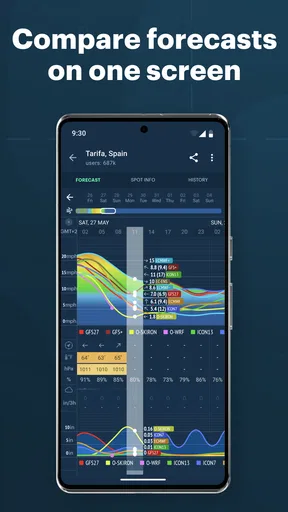
The app isn't just about showing you the weather; it's about predicting it with accuracy. I was impressed by the variety of forecast models available. From local forecasts to global data, it’s like having a personal meteorologist in your pocket. And for those who love details, the app offers wind speed, temperature, and even precipitation maps. Trust me, it’s as detailed as it gets.
The practical benefit of multiple forecast models is comparison, not simply having more choices to tap. If two views suggest different conditions for the same outing, I’d take that as a reason to plan conservatively or check again nearer departure, rather than selecting whichever one supports the plan I already wanted. For a beginner, one useful habit is to keep the location and forecast time consistent while comparing; otherwise, differences on screen can be hard to interpret.
One of the standout features is the ability to customize your weather alerts. You can set it up to notify you about wind speed changes, which is perfect if you’re into sailing or any wind-dependent sport. The app even lets you save your favorite spots, so you can easily check the conditions before heading out.
Saved places are especially handy when the decision is between alternatives. A sailor might compare a familiar launch with a more exposed bay; someone planning a beach visit could check a second stretch of coast before setting off. I’d save only places I genuinely revisit, because a short, tidy list is quicker to scan than a collection of old destinations. Alerts can add another layer of awareness, but I wouldn’t rely on a notification alone for a time-sensitive safety decision: check the forecast directly before you go.
A realistic first success could be planning a weekend walk. I’d save the trail area, inspect the wind and precipitation views, and decide whether to choose a sheltered route or shift the outing. If the plan changes, I’d check the map again before leaving rather than assuming the morning view will remain useful all day. That workflow turns the app’s detail into an actual choice, instead of a tour through layers with no clear purpose.
Where it fits among weather apps
Compared with a typical phone weather app, Windy.app is more suited to exploring conditions across a map and thinking about wind, water, and outdoor plans. The built-in alternative usually wins for speed: it is already on the phone and often gives an immediately readable summary. Windy.app is a better fit when the location itself matters, or when wind direction, waves, or tide timing could affect what you do. I would not replace a simple everyday forecast with it if the extra detail only makes routine decisions slower.
It is particularly appealing to people who spend time sailing, kitesurfing, fishing, or choosing exposed outdoor locations, as well as weather-curious users who enjoy comparing forecast views. Casual users can still benefit, but there is a learning curve in deciding which information deserves attention. If you mainly want a plain-language answer about whether to carry an umbrella, a less specialized app may feel more direct. If you need to compare conditions at a specific place before committing to a trip, the map-led approach is more valuable.
Community, learning, and the limits of a busy forecast
Another thing I love about Windy.app is its community aspect. There’s a social feed where users share their experiences, tips, and photos. It’s a great way to connect with like-minded weather enthusiasts. Plus, you can join discussions or start your own, making it feel more interactive than just a regular weather app.
That social layer is best treated as context, not as a replacement for checking the forecast. Someone else’s report or photo may help you understand what a place is like, but it reflects a particular moment and viewpoint. I’d use it to discover ideas or see how other enthusiasts talk about a location, then make my own plan using the weather information and conditions relevant to my outing.
For those who love to learn, the app provides weather-related articles and tutorials. Whether you want to understand the science behind weather patterns or just want some tips for your next adventure, there’s something for everyone.
The trade-off is attention. Maps, models, saved locations, alerts, community posts, and educational material can make the app feel like a lot if you only wanted one quick answer. I’d keep the first routine simple: choose a place, focus on the conditions that matter, and leave the extra sections for when curiosity or a particular trip gives you a reason to explore them.
Reliability, habits, and who should choose something else
Performance-wise, Windy.app runs smoothly without any hiccups. I’ve been using it for a couple of weeks now, and it hasn’t crashed once. The updates are timely, ensuring you’re always in the loop with the latest weather conditions. And guess what? It doesn’t drain your battery like some other apps out there.
The reliability of the forecasts is what truly makes it stand out. I’ve used it to plan my weekend hikes and it’s been spot on every time. The app uses data from reputable sources, so you can trust the information it provides. Whether you’re planning a day at the beach or a mountain trek, you’ll find it indispensable.
My practical advice is to make forecast checking a short routine rather than a single event: look when you start planning, check again before leaving, and revisit the information if the outing is long or conditions are changing. The app can help you notice a forecast shift, but forecasts are still estimates; for higher-consequence activities, I’d pair them with appropriate local information and experience. If your plans are low-stakes and close to home, a quick glance may be enough. If they involve open water or exposed terrain, I’d give the decision more care.
There are also good reasons to skip it. If you dislike map-based interfaces, rarely plan around wind or water, or want a minimal screen that answers one everyday question, a simpler weather app may suit you better. The existence of paid in-app items is another reason to read what an offer includes before purchasing; you do not need to assume that every feature or purchase is necessary to begin using the app.
Overall, Windy.app is a gem for anyone who wants detailed and accurate weather forecasts. It’s not just an app; it’s a tool that empowers you to make informed decisions about your outdoor activities. Whether you’re a professional sailor, a hiking enthusiast, or just someone who loves staying ahead of the weather, this app has got you covered.
Taking the next step
So, if you’re looking for a reliable weather app that’s packed with features, give Windy.app a try. You won’t be disappointed. Happy forecasting!
I’d start with the free version, save one place I know well, and use it to answer one practical question before an outing. That gives you a fair sense of whether the maps and wind-focused detail make your decisions clearer. If they do, build a small routine around saved locations and alerts; if they make a simple forecast feel like homework, there is no shame in returning to a more basic option. For me, the app earns its place when the weather is part of the plan, not just background information.
Pros
- Detailed weather maps available.
- User-friendly interface design.
- Accurate wind forecasts.
- Customizable notifications.
- Offline mode for remote areas.
Cons
- Some features require a subscription.
- Occasional app crashes reported.
- Limited language options.
- Frequent updates needed.
- Battery usage can be high.
FAQs for Windy.app - Enhanced forecast
What features does Windy.app offer for weather forecasting?
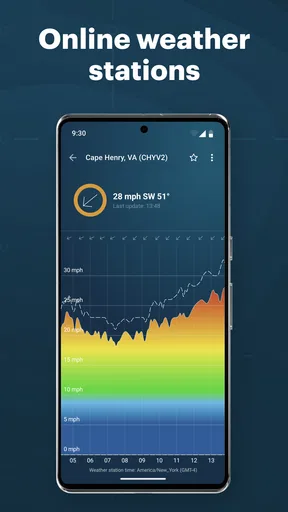
Windy.app provides detailed weather forecasts with real-time data on wind speed, direction, temperature, and precipitation. It includes interactive maps and radar views, allowing users to visualize weather patterns. The app also offers customizable alerts for severe weather conditions, making it a comprehensive tool for planning outdoor activities.
Is Windy.app suitable for professional use by sailors or pilots?
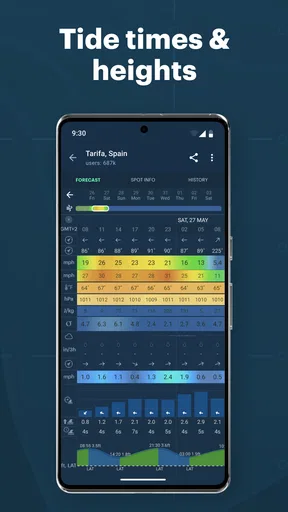
Yes, Windy.app is highly suitable for professionals such as sailors, pilots, and surfers who need precise weather information. The app provides detailed wind and weather forecasts, including aviation and marine-specific data like wave heights and cloud base levels. Its accuracy and reliability make it a trusted choice for professionals.
How accurate are the forecasts provided by Windy.app?
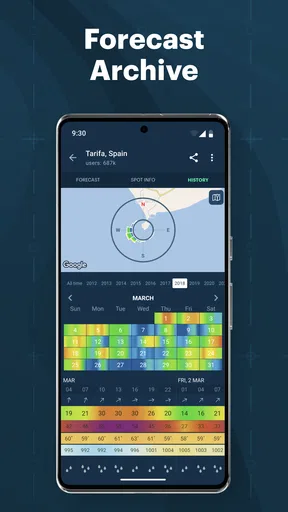
Windy.app is known for its accuracy, using data from multiple sources including the European Centre for Medium-Range Weather Forecasts (ECMWF) and other meteorological institutes. The app updates frequently to provide the most current information, helping users make informed decisions based on the latest weather conditions.
Does Windy.app require a subscription for full access to features?
While Windy.app offers a free version with basic features, there is a premium subscription available that unlocks additional functionalities. The premium version provides access to more detailed forecasts, ad-free usage, and advanced map layers. This can be particularly beneficial for users who require in-depth weather analysis.
Can Windy.app be used offline or does it require an internet connection?
Windy.app primarily requires an internet connection to provide real-time weather updates and interactive maps. However, users can download specific forecasts and maps for offline use, allowing them to access crucial weather information even when they are not connected to the internet. This feature is particularly useful for those in remote areas.


